
Unofficial File parts/74948p01.dat
Warning: Model breaking changes to unofficial parts may occur anytime prior to release

0 Minifig Compass with Fleur de Lis Pattern
0 Name: 74948p01.dat
0 Author: Magnus Forsberg [MagFors]
0 !LDRAW_ORG Unofficial_Shortcut
0 !LICENSE Licensed under CC BY 4.0 : see CAreadme.txt

0 BFC CERTIFY CCW

0 !CATEGORY Minifig Accessory
0 !KEYWORDS 24-point, Armada, BrickLink 70001c01pb02, Brickowl 129133
0 !KEYWORDS Brickset 74948, Pirates, Rebrickable 70001pr0002, Set 3143, windrose

0 !HISTORY 2020-06-28 [PTadmin] Official Update 2020-01
Show file code:
1 494 0 0 0 1 0 0 0 1 0 0 0 1 70926.dat
1 16 0 0 0 1 0 0 0 1 0 0 0 1 6094.dat
1 15 0 0 0 1 0 0 0 1 0 0 0 1 u9349p01.dat
0 BFC NOCLIP
1 47 0 0 0 1 0 0 0 1 0 0 0 1 6095.dat
Status
Errors Found (HF)
Current Votes:
Orion Pobursky [OrionP]
Part Dependencies
Official parents and subparts
Part Events
Archived Part Events:
Peter Grass [Evilspyre]
initially submitted the part.
2026-11-27 18:22:46
Needed a Noclip adding so that it works properly in Studio (works OK in the part designer without it since I guess that doesn't respect BFC properly)
Orion Pobursky [OrionP]
made the following comment.
2026-11-27 19:32:53
What, exactly is the issue? Since it renders correctly with LDview and the WebGL viewer, I'm not sure that we need to cater to a program specific bug (although there is precedence with MLCad and the fast draw studs)
Peter Grass [Evilspyre]
made the following comment.
2026-11-27 19:40:19
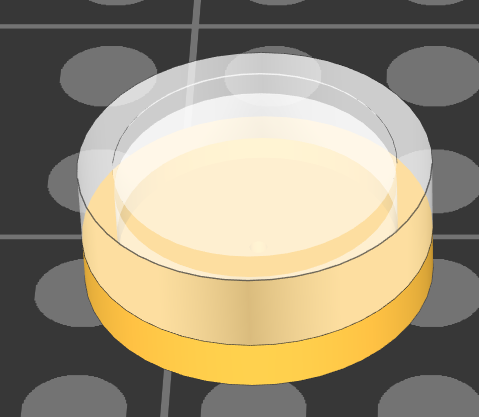
In studio the official ldraw part looks like this:
https://i.postimg.cc/nhpqTtZs/Screenshot-2026-11-27-193807.png
With the Noclip added it looks like this:
https://i.postimg.cc/5N3X4Qdf/Screenshot-2026-11-27-193934.png
https://i.postimg.cc/nhpqTtZs/Screenshot-2026-11-27-193807.png
With the Noclip added it looks like this:
https://i.postimg.cc/5N3X4Qdf/Screenshot-2026-11-27-193934.png

Orion Pobursky [OrionP]
made the following comment.
2026-11-27 19:58:38
The NOCLIP should probably be on u9349p01.dat
Peter Grass [Evilspyre]
made the following comment.
2026-11-27 20:09:36
It doesn't seem to work if I add it to u9349p01.dat, it goes back to being invisible in studio.
Chris Böhnke [KnightOfTarenta]
made the following comment.
2026-11-27 20:41:33
The onyl transparent part here is the top cover. So NOCLIP seems strange?
Chris Böhnke [KnightOfTarenta]
made the following comment.
2026-11-27 20:45:38
Is it even allowed on shortcut? Feels even stranger.
On a sidenote, the center piece being Brown seems a bit off too.
And there's a second print btw.
On a sidenote, the center piece being Brown seems a bit off too.
And there's a second print btw.
Orion Pobursky [OrionP]
made the following comment.
2026-11-27 22:02:08
Has this reported this on the Studio forums? Again, I'm reluctant to issue this update since the de-facto reference renderer (LDView) renders this fine and so does the WebGL renderer.
Orion Pobursky [OrionP]
made the following comment.
2026-11-27 22:13:34
Just to be clear, I'm not opposed to fixing the issue, especially since Studio has widespread use, but I want to make sure the Studio team is aware of the issue. If they decline to fix, then this fix is fine.
Chris Böhnke [KnightOfTarenta]
made the following comment.
2026-11-27 23:14:35
That issue has been there since at least 2022.
Fully agree that this is something Studio should fix.
Fully agree that this is something Studio should fix.
Sylvain Sauvage [SLS]
made the following comment.
2026-11-27 23:16:52
I don’t have anything in my Studio forum bugs archive about that part, or about the need for NOCLIP.
We had some threads about weird things happening with (LDraw) patterns, like their not showing, when behind some transparent part (or bit of part), but we generally went with “Studio is cutting som corners.” But, at the same time, some of these things are not happening anymore, especially since the changes made in Studio during the last year or two (changes that didn’t all make it into PartDesigner, notably because in PD, you work on a few parts and many changes were about performance).
One part I think I remember having problems is 44375bpb07 (Big Ben clock) but 1. it’s working correctly now, 2. Studio is not directly using the LDraw file (it could be it but flattened by PartDesigner… and the LDraw part is using NOCLIP).
Also, I don’t really get the issue here. Is it because surfaces are on top of each others and Studio needs the NOCLIP to act correctly while that NOCLIP shouldn’t be necessary?
If someone can explain the issue so that it can be brought up to the Studio team, I can defend it, or at least try to get an answer.
Orion Pobursky [OrionP]
posted a vote of Hold
2026-11-27 23:35:39
Ok. I'm not going to delete this fix but I'm not going to approve it until we get an answer from Studio
Chris Böhnke [KnightOfTarenta]
made the following comment.
2026-11-27 23:40:51
Btw, just did a test:
For the photo-realistic renderer in Studio this works pefectly fine IMO. It's just the work window where both compasses look bugged.
Seems to be related to the overall bugged appearance of multi-colour parts in Studio? All printed an assembly parts have off-colour prints or shader issues there (just compare black/white boat hulls). Most of those seem gone when fully rendered.
Peter Grass [Evilspyre]
made the following comment.
2026-11-28 02:18:56
I would have reported it on the studio forum but those are down at the moment with the whole hacking thing. Agreed that it looks ok when rendered, it's just when placing the parts it doesn't show up. It does seem to be some studio optimisation that broke the display of these particular parts since the part designer shows it properly. Not sure if it affects anything else Since it's rare to have something with a pattern behind tranparency within the same part.